



Rebel's Guide to PM
Rebles Guide to PM

-
Brain Sensei CAPM Review (for 2026 exam)
Looking for Certified Associate in Project Management (CAPM)® training for your PMI certification?
You’re probably checking out a lot of training options and you’re here because you want to know if Brain Sensei is right for you. It might be… I’ve been through the course and I’ve got opinions about Brain Sensei!
In this review of Brain Sensei’s CAPM training, I’ll share who the course is most appropriate for, what to expect, the cost, the pros and cons and all the features you get included.
I’ve been working as a project manager for over 20 years (gulp) and I’ve written a pile of books about it, plus I’ve spent hours going through project management training so I can confidently share my thoughts on courses and providers. All to help you make the right choice about who to invest money with.
So could Brain Sensei be the perfect
CAPM ® course for you? Let’s find out!Overview of Brain Sensei
CAPM ® TrainingBrain Sensei is a
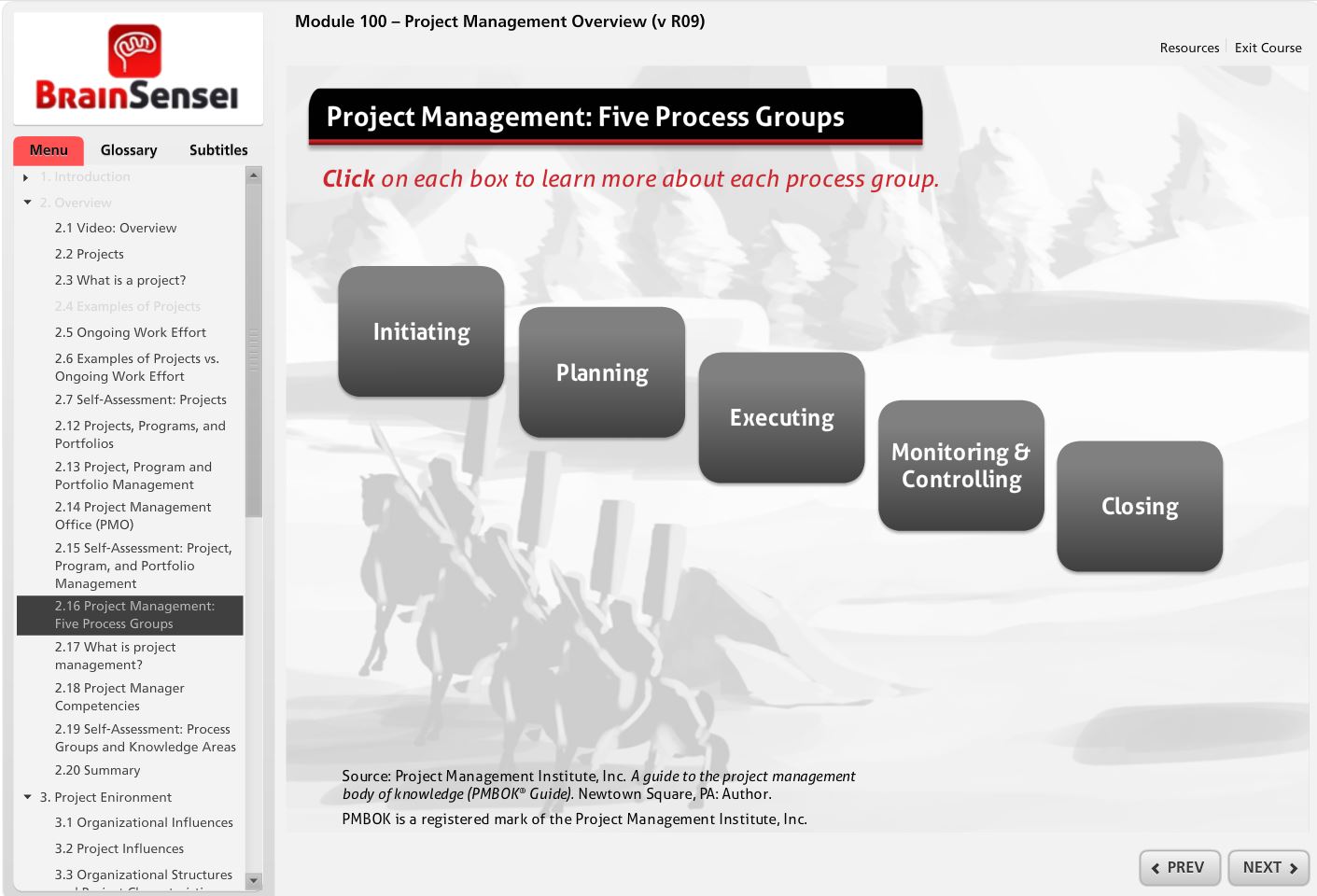
CAPM ® Exam Prep Course, but it’s unlike other courses I’ve seen or taken because it is story-based and takes place in feudal Japan. The main character is a female Samurai. The equivalent Brain Sensei PMP training course used to have this story element, but it was removed in the 2026 update. But CAPM learners still get to experience it!When I went through the first Module I was drawn in from the beginning – who doesn’t want to be the project manager who rallies the community to build a castle to protect our children and the village?
Cost $249.99 ( a price they have maintained for some years now) Access 1 year Exam simulator included? Yes Education (contact) hours 23 Practice exam questions Facebook group, email sequence, and a full Brain Sensei FAQ section on their website. I didn’t have a reason to use the support, but other reviews say they provide awesome service. Guarantee 30-day refund guarantee and 100% “pass satisfaction” (terms apply) Support Facebook group, email sequence, and a full Brain Sensei FAQ section on their website. I didn’t have a reason to use the use the support, but other reviews say they provide awesome service. Key features of the Brain Sensei CAPM trainingIt’s online, video-based training that provides the 23 contact hours required to be eligible for the exam. I thought the course itself was really well put together. It actually made me want to learn about process groups, which is a rare thing. I can’t resist a puzzle.
Features
Brain Sensei started out as a self-paced
CAPM /PMP exam prep course, but now they offer a range of study options for people taking PMI certifications. The self-pacedCAPM course is still a favorite of mine. It includes:- 10 modules
- A year of access to the content
- Exam simulator
- Knowledge assessments to test yourself
- The 13 ‘storyline challenges’ are quite fun
- Spaced repetition system (this is really helpful for improving retention, which is the main thing you need to pass the exam: the ability to recall the key project management terms and concepts)
Complete
CAPM ® contentThere are 10 modules which cover the full expectations from the
CAPM exam content outline. I think you would also benefit from having a copy of thePMBOK® Guide . You can get a PDF of that for free if you are a PMI member.Each module is made up of lessons and they are short, which is helpful if you are juggling your exam prep and revision with work or family commitments.
The course takes you through the story and you find yourself learning (and remembering) the project management principles and key concepts.
You don’t have to take the modules in the order they are presented, but I would recommend it, as the content builds on what is covered in the previous modules.
So far, so expected. I have to say that most of the
CAPM (andPMP ) online self-paced courses provide the required contact hours and training materials that cover the exam content outline. The Brain Sensei difference is really in how the materials are presented; the story-based interactive video training. That’s a big advantage, but let me tell you about some of the other pros and cons now.Pros
Highly interactive
There is a lot of content to read on screen but it’s built on the Articulate platform and it’s highly interactive.
If you aren’t sure what that means, it means you get to touch the screen, select options, do self-assessment quizzes, drag and drop and all those kind of things.
Interactivity means you are more likely to remember what you’re learning, which should increase your chances of passing the exam. Having to engage with the materials means you improve your recall, because, you know, science.
Working through the key knowledge areas doesn’t feel like a chore.
Exam simulator and practice questions
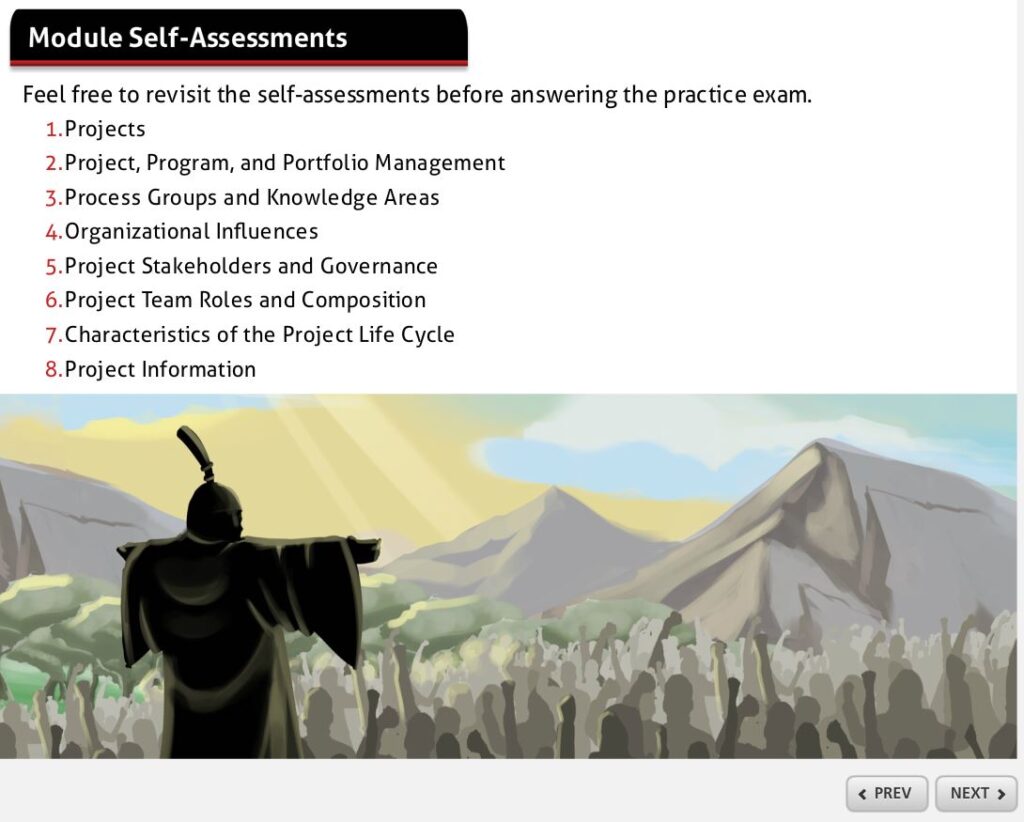
There are also built-in knowledge assessments, that are designed to help you understand what you don’t know so you can focus in on revising those topics. This is really helpful to cut down the amount of time you spend studying.
Once you know you have a solid grasp of a topic, you can stop going over that module (for now anyway, I think it’s helpful to do a quick refresh before the exam) and move on to topics where you need more support.
There are also unlimited full practice exams (drawn from 1,500 realistic exam questions). I think it’s incredibly important to do full mock exams as well as work through quizzes because the exam is long and you need to be good at managing your time.
I highly recommend using an exam simulator – and Brain Sensei’s training package includes access out of the box with no additional charge.
Guarantee
They offer a 100% pass guarantee and will extend your access to the course if you don’t pass the certification exam. With a 99.6% pass rate, it seems unlikely that you will have to take advantage of it, but it is nice to know it is available.
Plus they have a 30-day refund policy if you decide it isn’t the course for you after you purchase – as long as you have only taken one (or no) practice exam.
Offline Mode
If you are an Apple Podcast user, you can watch a video walkthrough of the learning modules when you are offline. Both Android and Apple users can stream the animated stories via the Spotify and Apple Podcast apps.
Cons
Slow page load times
Some of the pages took a while to load. This probably says more about my internet connection on the shocking wifi in our house than the product, but do make sure you’ve got a decent connection before you start a study session – as you would with any online training course.
Cost
You can get cheaper courses. The PM PrepCast CAPM is cheaper but also has disadvantages. There are also cheaper courses on Udemy and LinkedIn Learning, but not necessarily ones I would recommend!
If cost is an issue for you, be wary of buying something that is cheap but not capable of doing the job of getting you prepared. Be very careful about choosing something that is a good fit so you can be sure you won’t have to invest in anything else afterwards.
Very click-heavy
Because it’s so interactive, there are lots of places to click. If you use a lot of keyboard shortcuts like me, then you’ll have to turn to the mouse.
Having said that, I now have a touch-screen laptop so that makes this level of interactivity more manageable as I can just touch the screen instead of having to use the mouse, and that’s easier on my hands than constant clicking.
12 months access
You only get access to the course materials for 12 months. Is that long enough? It should be.
Actually, this is an advantage, because if you can’t motivate yourself to study and sit the exam in a year, then
CAPM probably isn’t for you.If you do want access to the materials for longer, I expect you could reach out to the provider for an extension (and there may be a fee for this). However, you really should be aiming to study and take the exam within a fixed time period. The deadline on access to the training helps focus the mind.
How long does it take to complete Brain Sensei?
The content will take you 23 hours to get through the
CAPM course. That doesn’t seem very long but you’ll still need to make a study plan to fit the exam prep into your life.The course online help section says most people complete the material in 1-2 months (for
PMP , they don’t specify a time frame forCAPM ). I would say you can definitely be done in 3 months if you can make the time to study.I should also point out that there is a monthly subscription option, so if you just wanted to buy it by the month for 2 months and cram all the content (for example, if you are currently out of work and using the time to get a project management certification), then you can do that too and it works out cheaper than buying the annual option.
The fact that you can access the materials on your tablet or phone makes it easy to fit learning around the rest of your responsibilities.
Is Brain Sensei approved by PMI?
Brain Sensei was approved by PMI under the Registered Education Provider (REP) scheme, and that’s how I first found out about them. The new accreditation scheme is the Authorized Training Provider program and Brain Sensei is not part of that.
However, you don’t need to take a course from an accredited program, and many people don’t. In fact, all the online, self-paced courses I have checked out are no longer accredited under the ATP scheme as it really seems designed for accrediting in-person training.
Rest assured that if you choose to do the Brain Sensei
CAPM course, you will still get your 23 hours eligibility certificate and cover all the relevant content for the exam.Who is Brain Sensei’s
CAPM course best for?Brain Sensei is best for people who know they have the self-motivation to want to study, and know they need exercises and interactivity to keep them engaged.
If you just want to play videos and listen to the materials without interacting, then there are other courses (PM PrepCast is my top alternative to Brain Sensei, although their
CAPM self-paced course is being phased out) that will give you that.Brain Sensei is great for people who don’t have a photographic memory! The whole learning approach is based around the science of remembering. The teaching philosophy is great and I really enjoyed working through the course materials.
If you are concerned that you won’t be able to memorize the content required for the exam, then don’t be. Brain Sensei’s advantage is that it is built from the ground up to help you recall and understand instead of just learning by rote.
Best for:
- Self-motivated people
- Students who are concerned about being able to memorize everything for the test!
Avoid if:
- Video learning is not for you
- The cartoon and story-based learning is too cutesy for you (although do the free trial and make that call based on your actual reaction, not how you think you might react to the content)
- Your employer will only pay for an accredited course
- You've already got enough experience to go straight for
PMP . Check out Brain Sensei's PMP training instead.
Brain Sensei free trial
You can sign up for a Brain Sensei free trial (although it is of their PMP materials) and click around inside the course to see what it’s like. I highly recommend you do that, because it will either give you the confidence to take the course or make you realize that it isn’t a good fit for your learning style.
The trial will give you a sense of what the full course material is going to be like. You’ll get a taste of the full exam prep course, and be in a better position to make an informed decision about whether this is the course for you.
Summary: Is Brain Sensei
CAPM training good?I’ve never seen a project management training course with so much interactivity and engagement built into the course materials. Studying feels easy. The storyline is great. I was worried the cartoon-y-ness would be a bit childish but it was quite gripping.
Well, as gripping as project management training can be, let’s be realistic. It’s not a movie.
It’s a cost-effective course in comparison to live classroom courses, so sign up for the free trial and see how you get on!
If you learn well through video but need a good story to keep you engrossed in the material, this course will be perfect to help you prepare for the
CAPM exam.Discount code
Ready to check it out? Use the discount coupon RGPM10 to get 10% off your purchase!
This article first appeared on Rebel's Guide to Project Management and can be read here: Brain Sensei CAPM Review (for 2026 exam)
-
Exploring the differences: Projects vs operations examples

Projects and operations are both necessary for businesses to succeed, but they require different approaches. When it comes to managing them effectively, understanding the differences between projects and operations is key.
From examples of project activities in a business versus operational activities to strategies for balancing projects and operations simultaneously -- this article will help you understand the differences and consider the similarities.
Projects vs operations
The short answer to the question: “What’s the difference between projects and operations?” is this.
Projects change the business. Operations run the business.
In my experience, that creates tension. Ops managers want (and seek) stability so they can manage process performance. The status quo is good but project managers keep changing things!
However, the two sides of any organization can live in harmony. Projects vs operations is not a battlefield and you can navigate the tightrope to keep them both balanced.
Let’s look first at examples of projects and why they are needed, and then we’ll do the same for operations, so you can see how they both fit together and ensure the business remains resilient, profitable and stable.
The context for projects
All organizations need to do projects.
Projects are what keeps an organization moving forward towards its business goals. Projects help deliver strategy. They introduce new products, help companies reach new market sectors and keep the business competitive when the environment changes.
Projects usually require project management practices to help them get delivered. Even if you aren’t using a formal lifecycle or specific methodology, you’ll still be planning, executing, controlling, and monitoring tasks in order to meet objectives – that’s project management.
The project management skills required to lead and deliver a change successfully include:
- identifying objectives
- defining scope
- creating schedules
- allocating resources
- coordinating teams (even if that’s just you, you still have to manage your own time)
- managing risks
- tracking progress
- measuring performance against set targets
- making adjustments when needed
- reporting results.
Examples of projects
Examples of projects include building a new office space or renovating an existing one, developing a new website or mobile app from scratch or revamping an existing one, launching a new product line or expanding into new markets.
More examples could be research, design, events, replacing manual work with digital or automation, construction or legal work on a case.
Lots of companies work through ‘transformation’ projects which are designed to create large-scale organizational change such as mergers and acquisitions or culture change, or meeting the expectations of technology use through implementing digital strategies.
All these require careful planning and execution in order to be completed successfully within budgeted timelines without compromising on quality standards set by the organization itself, its customers, clients, and stakeholders.
Here are some of the projects I have worked on:
- Updating an intranet
- Adding staff from more subsidiary countries and companies to an international online ‘phone book’ for a global company
- Rolling out new software (as an IT project manager for many years, I’ve done this many times)
- Implementing new processes
- Making sure our organization was ready and compliant with new legislative changes.
Plus many smaller initiatives like organizing staff training, organizing a
team building day out, setting up a series of lunch and learns and more.To be honest, I even put my wedding in Microsoft Project. I mean, why not? Weddings are fixed date projects. You’ve probably organized a family event, or helped out with school events, planned a party or a sports fixture or a neighborhood barbecue. They are all projects.
Tip
You are probably have more experience working on projects than you think you do. Look around your personal life for all of the projects you are managing as well.
Finding case studies of projects
There are lots of case studies available to read about projects. For example, in the UK, the National Infrastructure & Service Transformation Authority (NISTA) manages projects and shares best practices for UK government projects. The National Audit Office publishes reports each year on major project performance, and those reports regularly include examples and case studies.
In addition, the Major Projects Association publishes regular reports and articles that draw on large projects, such as the Grand Paris Express.
In the United States, the Government Accountability Office publishes regular reports into major projects.
These are all great sources of examples of projects.
Next up, examples of operations management.
Operations management
Operations management is the process of managing and organizing resources to ensure the efficient production of goods or services.
In other words, making sure you can serve your customers. It doesn’t matter if those customers are high-net-worth individuals wanting bespoke financial services, or frazzled parents shopping in a budget supermarket: the goal of business operations is to make sure they get what they need (and ideally come back again as a repeat customer).
After all, if you don’t have any customers, you can do all the projects you like, but you won’t be in business this time next year.
Operations managers are involved in and responsible for planning, organizing, directing, controlling, and coordinating activities within an organization in order to meet customer needs. Operations management focuses on maximizing efficiency while minimizing costs.
Projects cost money and mess up efficiency by changing ways of working, but when a project finishes, the end product is handed over into the operational environment. More on that later.
Examples of operations
Operations is the name given to any team that is involved in overseeing and managing the operations of an organization. In other words, the parts of the business that keep the lights on.
This includes both the ‘front-line’ services and the ‘behind-the-scenes’ services.
Let’s say you work for a clothing retailer. The front-line operations will include:
- Shop managers and retail staff
- Warehouse staff who receive orders and unpack boxes of clothing for the shop floor
- Facilities managers that oversee the maintenance of each building
- Security managers that ensure the right people have access to each shop and that staff badges let them into the right areas.
Behind-the-scenes operations staff include the teams that make it possible for the shops to operate consistently, including:
- Human Resources who recruit, train and support staff, and manage payroll
- IT teams that manage the point of sale software and the company’s website
- Legal teams that draw up contracts with clothing suppliers
- Quality teams that ensures the clothing supplied for sale is made ethically and meets the company’s standards
- Branding team who ensures the company’s brand is consistent across all shops and media mentions
- Designers who work out the fashions for the next season and source appropriate new products to stock
- Finance team that manages the money, making sure bills are issues and paid.
Typically, a business is likely to have Marketing, Sales, Customer Service, and any other functions specific to its purpose. In healthcare, for example, we have a Pricing team that sets prices for services and manages the huge catalogue of different things people come into a private hospital for. You might have a Research team, or something different that is key to your industry.
Tip
All these departments can generate ideas for projects so if you have a business case template or project review group, it’s good to include stakeholders from every function in the decision-making.
All these activities help organizations run smoothly by ensuring they have what they need when they need it at a reasonable cost without sacrificing quality standards.
Operations management is an essential part of any business, and understanding its key principles can help managers ensure projects are completed successfully, with the minimum disruption to continuing to offer a service to customers.
Next, we will discuss project management and the differences between it and operations management.
Differences between projects and operations
Projects and operations are two distinct activities that require different approaches when it comes to management. However, as we’ve seen, they are two sides of the same goal: we want to do the best thing for customers and hit the strategic business objectives for the firm, so we need them both.
Generally, operations sets the strategic plans and vision, and the projects side of the organization delivers the improvements and changes required to get there.
The table below highlights the differences between projects and operations.
Projects Operations Goal Create something new or improve on an existing product, service or process Keep the business functioning and serving customers; smooth running of day-to-day activities Timeframe Has a defined beginning and end date, short-term effort Ongoing, long-term effort Change impact Creates change Seeks consistency Resources Dedicated resources for the life of the project only Resources required on an ongoing basis Project role Delivers change and hands it over to operational teams Receives deliverables from a project team Outputs Often includes tangible things like software applications, products, process manuals Often includes intangible things like customer satisfaction surveys and process performance reports Results One-time result Recurring results over time Processes Creates and changes processes Carries out business process management Task type One-off tasks, unique activities Repetitive tasks Similarities between projects vs operations
There are differences as we’ve seen, but there are also similarities. For example, many projects use resources from operational teams. They have to, as the ops people are the experts in the process, goals, customer expectations and specialist knowledge areas.
They both cost money to do. They both require resource planning so people are available to work on them. They both need great communication skills, ongoing reporting, people management skills and open, trustworthy leadership.
Ops and projects both seek to deliver the same long-term goal: meeting strategic objectives, which could be to make more money for the business or something else.
They also both have similar methods for staff recognition for a job well-done. Managers will reward and recognize people involved in projects and those who are responsible for keeping the organization going.
Strategies for managing both projects and operations simultaneously
Managing both projects and operations can be a difficult task, but it is necessary to ensure optimal results. Often, the same management team will be responsible for both the operations side of things and also ensuring that projects are prioritized and resourced – that’s what your board or C-suite is for.
Prioritizing tasks and allocating resources wisely is key in managing both projects and operations simultaneously. This means understanding the scope of each project or operation, determining which tasks are most important, and assigning time and people to them accordingly. It also involves ensuring that teams have enough resources to complete their work on time without sacrificing quality.
That basically means making sure there are enough staff available to do the work.
In my experience, one of the most frustrating things for both project team members and subject matter experts in operational teams is not having enough people. We’re always struggling to meet the organization’s need with the resources we have, because there is always more we could do.
Before you go
If you are looking for more inspiration, here's another case study: How I used video for project communications
If you are interested in studying project management, then I can recommend the Google Project Management certificate as that includes a worked case study of Plant Pals and also a Capstone project for Sauce & Spoon – both hands-on (albeit fake) projects for you to learn about and work with. When you work through a project, you’ll quickly see how all of this translates to real life.
This article first appeared on Rebel's Guide to Project Management and can be read here: Exploring the differences: Projects vs operations examples
-
Brain Sensei vs PM PrepCast

I’ve long used products from Cornelius Fichtner of
The Project Management PrepCast fame for my own professional development. But I also know the team behind Brain Sensei.So how does Brain Sensei compare to
the PM PrepCast ? That’s what we’re covering in this article. I’ve used them both, I’ve had conversations with both teams, and over the year’s I’ve come to appreciate what they are both good at. Let’s do the comparison of theirPMP training!Packages
For a start, both companies offer Project Management Professional (PMP)® training.
Brain Sensei offers:
- A self-paced
PMP prep course that includes video-based training - The exam simulator which is bundled into the training or you can buy as a separate option.
The PM PrepCast has a lot of different options:
- Basic is just the video-based training
- Elite offers the training plus the exam simulator
- You can also buy the exam simulator separately.
For the purposes of this review, we’ll compare the self-paced Brain Sensei course with
the PM PrepCast Elite package, as those both have the videos and exam simulator included.Training method
The main difference between Brain Sensei and
the PM PrepCast is the teaching approach.Brain Sensei videos are animated and interactive. There are exercises and it’s engaging. For example, you are invited to click on elements to reveal definitions. You keep clicking to work through the material and advance the slides.
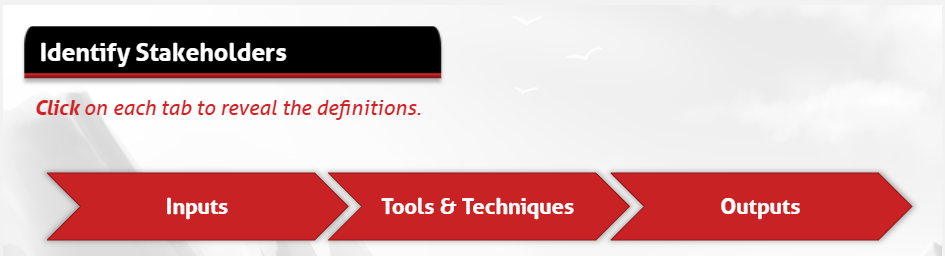
Example of interactive exercise in Brain Sensei However, there are also slides that look like the text on them has been taken direct from the PMBOK® Guide, that don’t have any narration on them at all.
The PM PrepCast videos are not interactive – they are totally different. You get Cornelius as your instructor talking you through the concepts with a slide presentation that looks like a PowerPoint deck. In my view, the slide design is not super modern either.
The video modules are broken up into short lessons but you don’t have to engage with them. Just watch and take notes. Each module ends with a review question, but you have to pause the video to answer it in your own time (or not, as you choose), before the answer is revealed on the next slide.
If you need to click the screen to stay engaged with your learning, then the interactive elements of Brain Sensei might be better for you.
Personally, I think I prefer the video learning style as I don't like so much clicking on the screen and I can take my own notes.
User interface
There is not much to choose between the different learning management systems that the courses use. Brain Sensei is built on Articulate, which is fine but make sure to use a compatible browser like Chrome.
The PrepCast uses a different LMS (I don't know which one) and it feels a little more old-fashioned.
They both have a lot of material inside, so there are nested lessons and lots to scroll through in the menus.
Personally, I found both systems a little clunky, but I don't think I've yet found an LMS I particularly like to use at all! Neither of them feel as clean as a course set up on Teachable, but then the courses I've done on that platform have a lot less content.
You'll get used to either, regardless of which one you choose, it's honestly not worth worrying about.
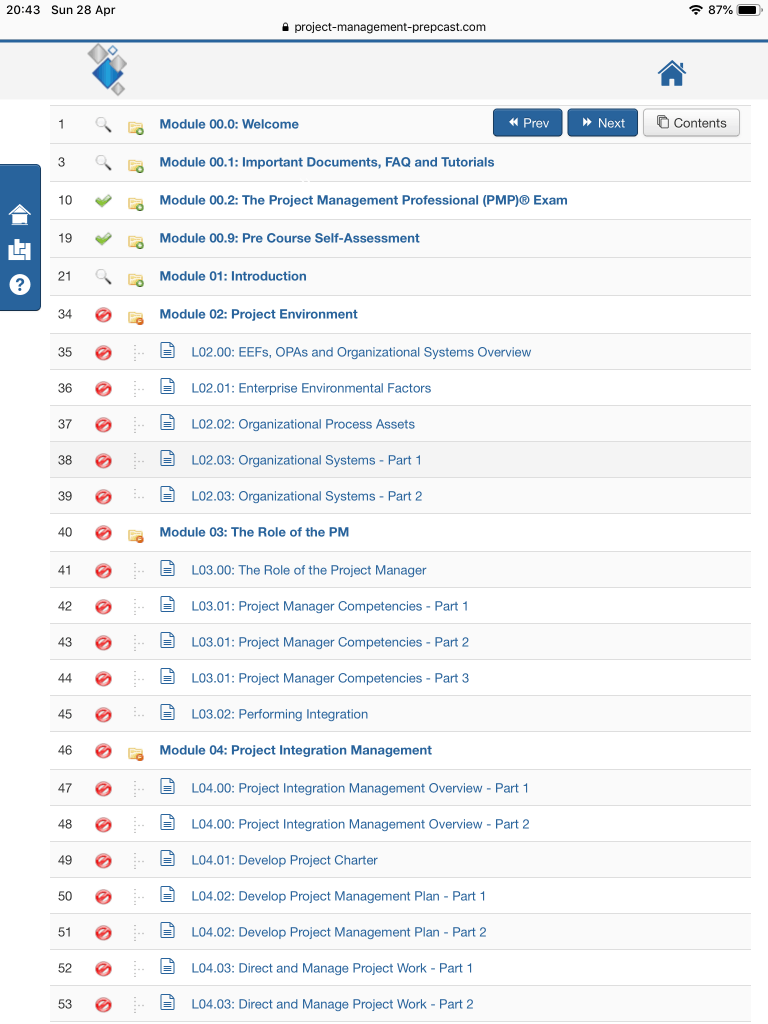
PrepCast user interface 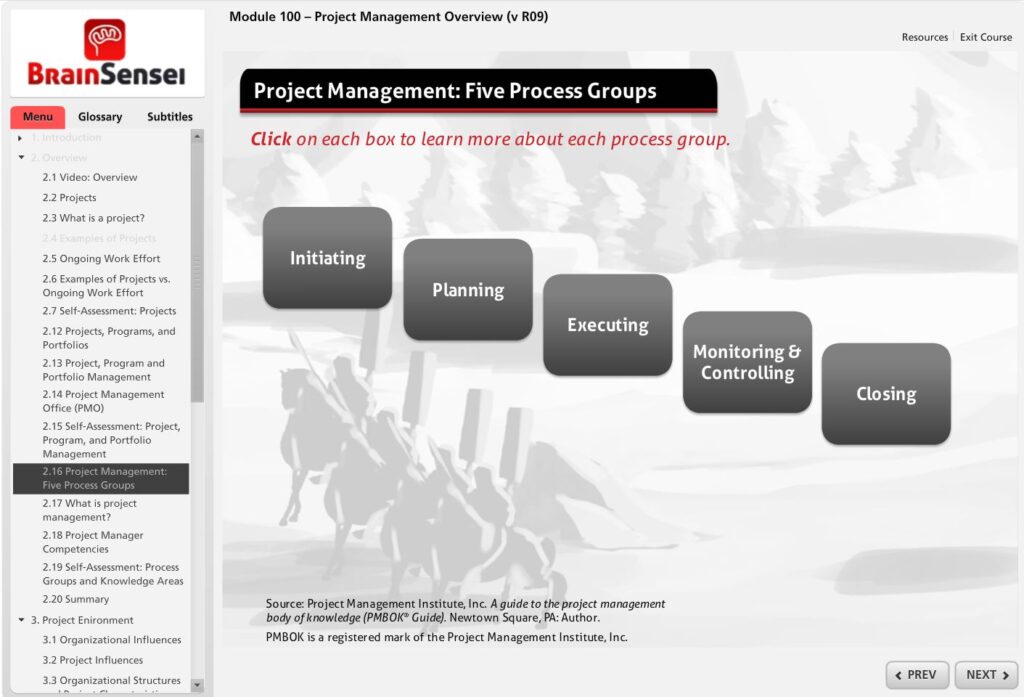
Brain Sensei user interface Support and community
The PM PrepCast has a huge community behind it and active forums with community moderators (including me, for full disclosure), so you can always ask a question. Their support team is responsive and there is extensive online help as well as active social media profiles.
Brain Sensei also has online help. It doesn’t have a student forum but it does have a very active and helpful Facebook community. There are the normal social media profiles too and the team always get back to you if you get in touch via the help button.
Military scholarship
Brain Sensei are one of the few training courses for project managers that I am aware of that offer a scholarship for military personnel. There is an application process that requires you to prove you are in service (or have retired from active duty).
The scholarship is worth either 10% of the course fees or 100% of the course fees and is awarded in the form of a discount code that you use when you buy the course.
The PM PrepCast used to offer scholarships (to anyone meeting the eligibility criteria) via PMIEF but they no longer do that due to a change in PMIEF’s policy.
Refund period
Brain Sensei has a 30-day refund period, assuming you haven’t taken more than one practice exam (for both the
CAPM ® and thePMP ® courses).The PM PrepCast also has a 30-day refund period, with similar conditions. You can’t have started or completed the final exam, printed your contact hours certificate or intend to claim any contact hours, or taking one or more quizzes or exams.
There’s no real difference here. You have a month to make your choice about whether your learning style matches the way the instructors teach, and if you don’t feel you can pass with the resources, you can request a refund.
Guarantee
Brain Sensei has a 100% pass guarantee, which means if you fail the
PMP exam within a year of buying the course, they will give you another 90-days of access to go through the material again. If you fail a second time, they’ll give you another 90-days. The third time you fail, you get your money back, assuming both second and third attempts happen within 6 months of your first attempt. Three failures in 18 months is going some, but I suppose they are confident in their product and willing to refund if it is not a good fit for you.This is broadly the same guarantee as they have for their
CAPM training, except for that one, all 3 attempts at the exam must happen within a year of your purchase date, so you have less time to cash in on the guarantee.The PM PrepCast does not have a pass guarantee, but it will offer you an extension to the PM Exam Simulator product if you failed your test one or two times to help you prepare for the retake.
In summary
To wrap up:
- Both provide 35 contact hours.
- Both cover the full range of things you need to know for the exam.
- Neither are part of the Authorized Training Partner program with PMI although both used to be in the Registered Education Provider program before it changed.
- Both offer a huge amount of study material and practice questions.
The one you choose is a personal preference and I honestly think it comes down to which pedagogical method you think you are going to get the most out of.
Which one will you choose? Or why not check out both Brain Sensei and the PM PrepCast to see which one you think will best fit your learning preferences?
This article first appeared on Rebel's Guide to Project Management and can be read here: Brain Sensei vs PM PrepCast
- A self-paced
-
How to Create a Powerful PMO Mission Statement

There's a lot riding on getting your PMO mission statement right.
After all, the mission statement is what will guide the PMO as it strives to achieve its goals and objectives. Creating a powerful PMO mission statement doesn't have to be difficult - but it does require some thought and careful planning.
Why have a mission statement for the PMO?
The PMO is responsible for ensuring that an organization's projects are well-organized, well-run, and produce the desired results. A key part of a PMO leader's job is to develop and maintain project management standards and processes and to support the people doing the delivery – project managers, program managers, and teams.
One way to easily explain what you do and why you do it is to create a mission statement for the PMO.
It should explain what the PMO does and why it exists. It also presents a vision of the future, what’s possible for the team, and where the PMO wants to be.
The mission statement should be easy to understand and should be aligned with the organization's strategy.
Creating a mission statement for the PMO can help to:
- Define the role of the PMO in the organization
- Clarify the PMO's purpose
- Communicate the PMO's value to the organization – very important given that PMOs seem to come and go as a disposable asset in the business
- Guide the PMO's decision-making process.
A well-crafted mission statement can be a powerful tool for the PMO. It can help to focus the team’s efforts and ensure that it is working towards the right goals.
And it’s a great communication tool to use with the higher-ups.
What goes into a mission statement?
Your mission statement is the foundation of your Project Management Office. It's a guiding light that will help you make decisions, big and small.
So, what goes into a mission statement?
Your purpose
First, you need to identify your department’s purpose. Ideally you'd do this when setting up a PMO, but you can do it at any time.
Why do you exist?
What do you do?
What kind of PMO are you?
Perhaps you provide a document repository of project management templates. Perhaps you’re a supportive PMO that provides coaching and development to project teams. Perhaps your major role is advising upwards to provide a strategic overview of the portfolio.
Your values
Next, you need to think about your team’s values.
What do you believe in?
What guides your decisions?
Many companies already have corporate values that you can draw from. If you don’t have them, or they don’t seem relevant, you can co-create your own with the team.
Values are often single words like simplicity, productivity, trust, integrity, honesty and so on.
Your goals
Finally, you need to consider your department’s goals.
What do you want to achieve as a PMO?
What difference do you want to make to the organization?
For example, it could be:
- Improving project success rates across all our portfolios through robust governance and project controls
- Resource allocation (or resource management more generally)
- Managing enterprise risk
- Engaging customers
- Delivering innovative products on time, on budget
- Performance tracking for projects
- Supporting the implementation of agile approaches across the organization.
Goals can change every year, so don’t worry about it. When you meet one, add another!
A goal statement helps you focus on what's important, and it will guide you through tough decisions. You can add specific targets like % change for customer expectations and so on.
How mission statements link to PMO core values and vision
A mission statement is a reflection of the core values and vision of an organization. It is a brief statement that defines what the team does, its purpose, and its goals.
A mission statement should be clear, concise, and easy to remember. It should also be inspiring and motivating. Quite an ask!
An effective mission statement will guide the actions of the PMO and its members and help to focus and direct the team’s efforts while reflecting the PMO's core values and vision.
The PMO's mission statement should be reviewed and updated on a regular basis to ensure that it remains relevant and aligned with the organization's values and vision.
Got all that? Great. Now you are ready to craft a mission statement that captures it all. Get it on a slide!
Example PMO mission statements
Montclair University
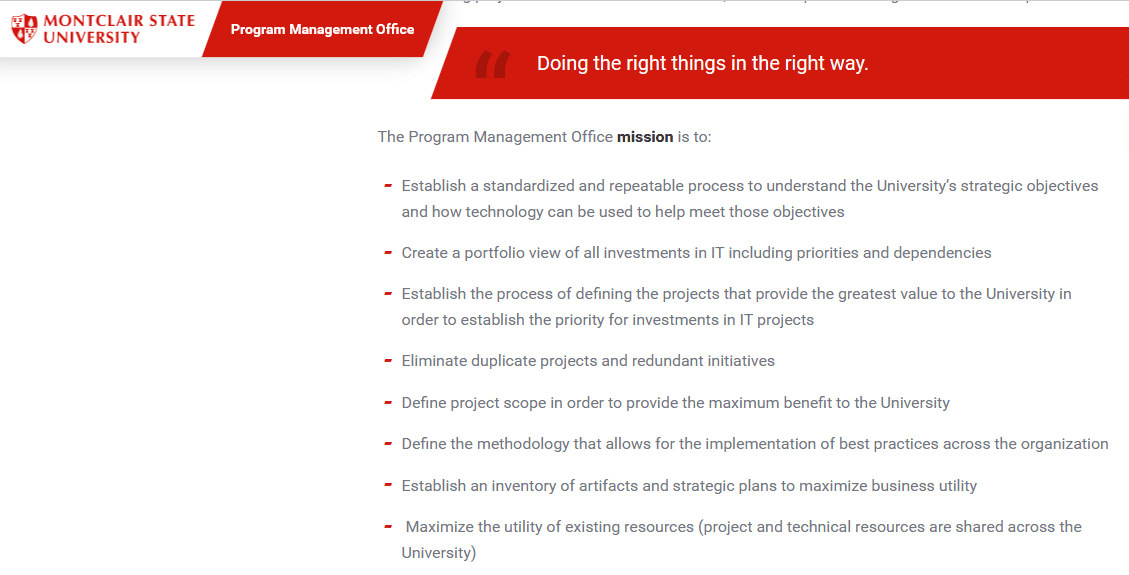
Montclair University has published their PMO mission on their website. Here’s an extract:
The Program Management Office's mission is to:
- Establish a standardized and repeatable process to understand the University’s strategic objectives and how technology can be used to help meet those objectives
- Create a portfolio view of all investments in IT, including priorities and dependencies
- Establish the process of defining the projects that provide the greatest value to the University in order to establish the priority for investments in IT projects
Their full vision and mission statement is 265 words and well worth a read if you are looking for inspiration.
Ministry of Works, Government of Bahrain
The Ministry of Works has a website that doesn’t look like it is maintained in English any longer. But if you can get over the terrible clipart, there is a good section on the mission, vision, and goals of the PMO
As an example vision statement, here’s an extract from their page:
In everything we do, the PMO will:
- Be approachable
- Promote a culture where collaboration is a core value
- Be respectful of differing ideas and values
- Nourish a positive and supportive environment
- Be passionate about project management
- Support the Mission and Vision of the MoW [Ministry of Works]

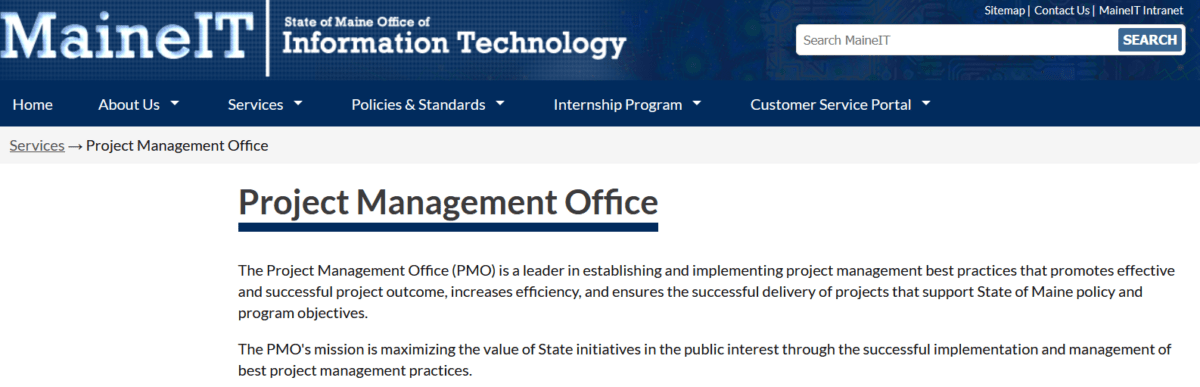
State of Maine Office of Information Technology
Here’s another example from the PMO for the State of Maine’s IT division. The link on the main MaineIT website has been removed last time I checked in July 2026, but you can still access the archive of the mission statement on the Wayback Machine.
The Project Management Office (PMO) is a leader in establishing and implementing project management best practices that promotes effective and successful project outcome, increases efficiency, and ensures the successful delivery of projects that support State of Maine policy and program objectives.
The PMO's mission is maximizing the value of State initiatives in the public interest through the successful implementation and management of best project management practices.
The PMO provides guidance throughout a project or initiative's lifecycle; through all phases of completion.
- Discovery: What must the project deliver to meet policy and program objectives
- Alignment: How do we maximize the value of project outcomes for the agency and wider State Government imperatives
- Selection: Determination of the best products, services, approaches and models to increase the long-term sustainability of solutions and services
- Implementation: Apply government bests practices to minimize risk and maximize opportunities for successful outcomes.
How the Project Management Office supports customers:
- Meets your team where they are. No matter where you are in your project, we can help improve your outcomes
- Define the needs or vision for project outcomes supported by policy and program imperatives
- Facilitate definition of goals & objectives supported by evidence and measures
- Conduct Project health assessments that assure conditions remain positive for successful outcomes
- Business process definition and assessments that support smooth organizations change. What is the action here?
- Provide Expert project resourcing recommendations, recruitment, and assignment
- Project executive oversight, and independent validation and verification
- Transformation Management supports agencies adaption to change and adoption of new processes, tools and structures
University of Mary Washington
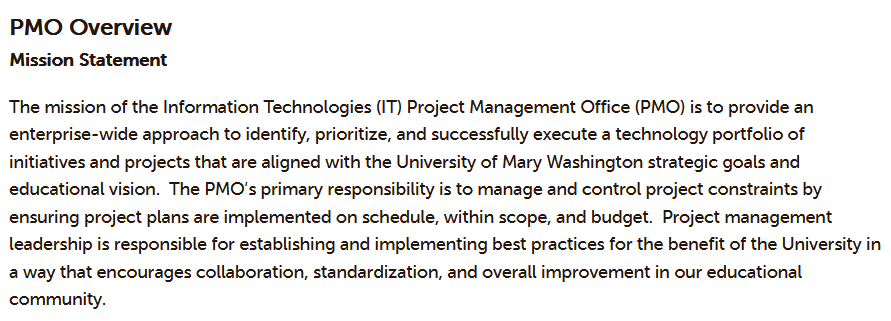
Finally, here’s an example from the University of Mary Washington Information Technology department.
This is their vision statement as published on their website:
Vision Statement
- Support faculty, staff, students and the UMW community as a source for project management leadership and expertise
- Promote best practice standards, quality, and methodologies into a project management discipline
- Utilize PMBOK-based methodology as well as support ‘best fit’ approach for project management at UMW
- Provide a channel of communication for project status, financial health, and mitigation of issues, risks, and dependencies across projects, departments, and/or divisions
- Build project management maturity at the organization level
If you are looking for more examples, universities and government departments often publish their goals and mission statements, so start there with your search.
How to create a mission statement collaboratively with the team
Crafting a mission statement can feel like a daunting task, especially if you're doing it alone. But it doesn't have to be!
In fact, it absolutely should not be. In all the organizations I’ve worked in where the company wanted to refresh the values, it was a huge team effort. In one company, a team of leaders self-nominated themselves to take part in the exercise. They then sought input from a large group, then presented the findings to the exec.
I also remember consultants coming in to help craft company messaging at one point and the exec having a two-day offsite to try to finalize what we stood for.
It’s a big job.
If you involve your team in the process, you can come up with a statement that accurately reflects your company's values and goals.
I wouldn’t recommend a two-day offsite for this exercise for your PMO. Just put half a day aside and see how you get on.
Here's how to create a mission statement collaboratively with your team.
Step 1. Brainstorm values that are important to your company
Start by brainstorming a list of values that are important to your company. These can be values that you want to uphold in your portfolio management work, or they can be values that you want your team to be known for.
Some examples of values that you might want to include are:
- Quality
- Innovation
- Customer satisfaction
- Teamwork
- Integrity.
Step 2. Draft a mission statement that reflects these values
Once you have a list of values, you can start drafting a mission statement that reflects them. Keep it simple and to the point.
And make sure that everyone on your team agrees with the statement before moving on.
Step 3. Make it actionable
A good mission statement is not only a reflection of your company's values, but it's also actionable. In other words, it should guide the way you and your teamwork.
Step 4. Review and revise as needed
The mission statement now becomes part of your PMO Toolkit, one of the resources you can use regularly to communicate and bring people bck to the core mission of the team.
Once you have a draft of your mission statement, review it periodically to make sure it still accurately reflects your company's values. And don't be afraid to revise it as needed.
Creating a mission statement collaboratively with your team is a great way to ensure that it accurately reflects your company's values. And it can help you and your team stay focused on what's important.
Key takeaways
- A good mission statement should be reflective of the team’s values.
- It should be actionable – something you can live your work by.
- A mission statement should identify your team’s purpose, values, and goals.
This article first appeared on Rebel's Guide to Project Management and can be read here: How to Create a Powerful PMO Mission Statement
-
How to make a SIPOC diagram in all the tools (with PowerPoint template)
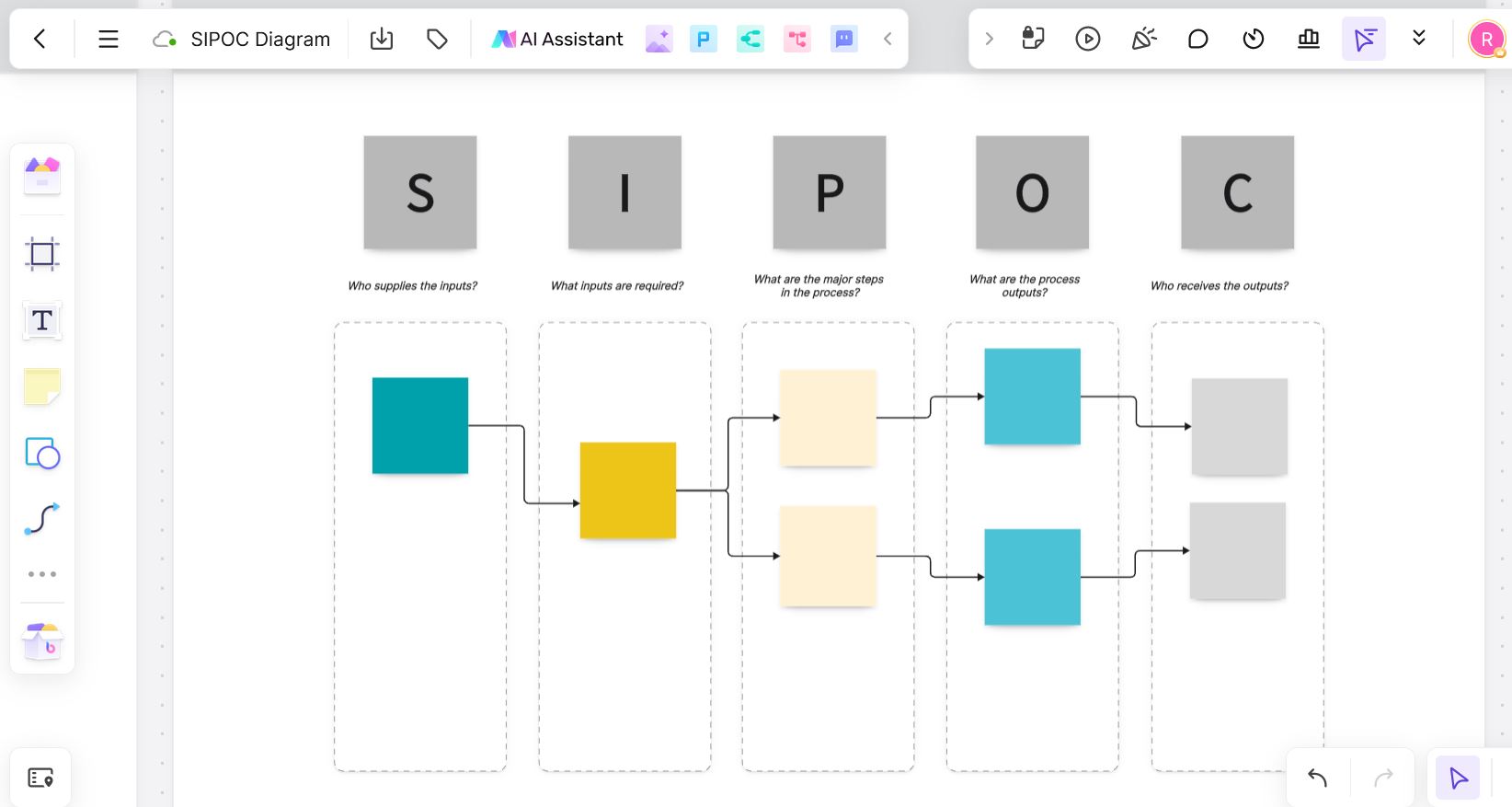
Process mapping creates value as it helps people understand the business context of the work they are doing. One tool to do this is the SIPOC diagram, which I use and I learned about on my Black Belt training.
Get a free PowerPoint SIPOC diagram template. Join the Project Management Resource Libraryto get the template and lots of other free project management templates, checklists, and guides.
Whether you want to understand how customers move through your small business, or mapping the processes used on a major civil engineering project, SIPOC is a visual process mapping tool that can help you see the big picture, identify the individuals involved and then plan more effectively – especially if you intend to change a process.
But what’s it all about? Read on…

What is a SIPOC diagram?
A SIPOC (say: sigh-pok) diagram is a simple way of recording an end-to-end business process.
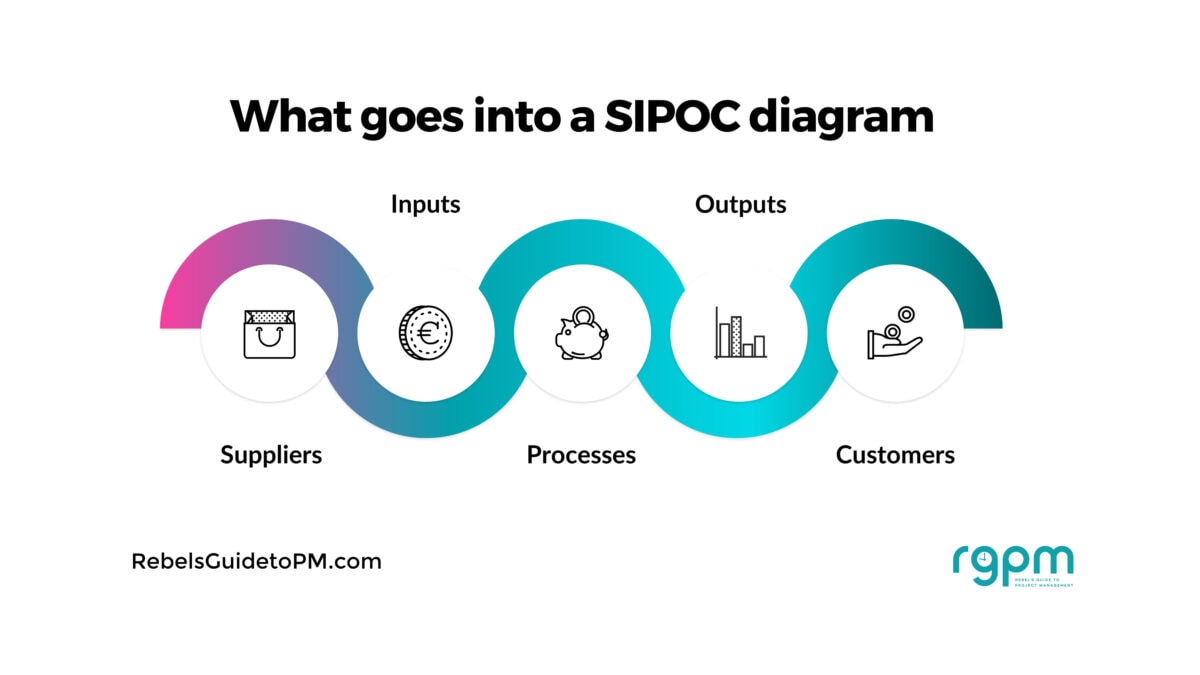
SIPOC diagrams have 5 steps and SIPOC stands for:
- Suppliers
- Inputs
- Process
- Outputs
- Customers
It’s a visual process mapping technique, and it is used to create clarity before digging into the deeper levels of the business process.
In other words, it’s a good way to get everyone on the same page before you start mapping the detail. You end up with a SIPOC diagram that shows the process at high level.
SIPOC example
Here’s a totally generic SIPOC example that gives you an idea of what the end result should look like.
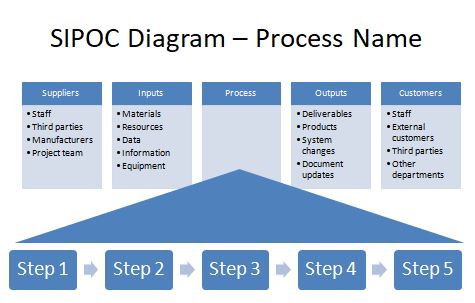
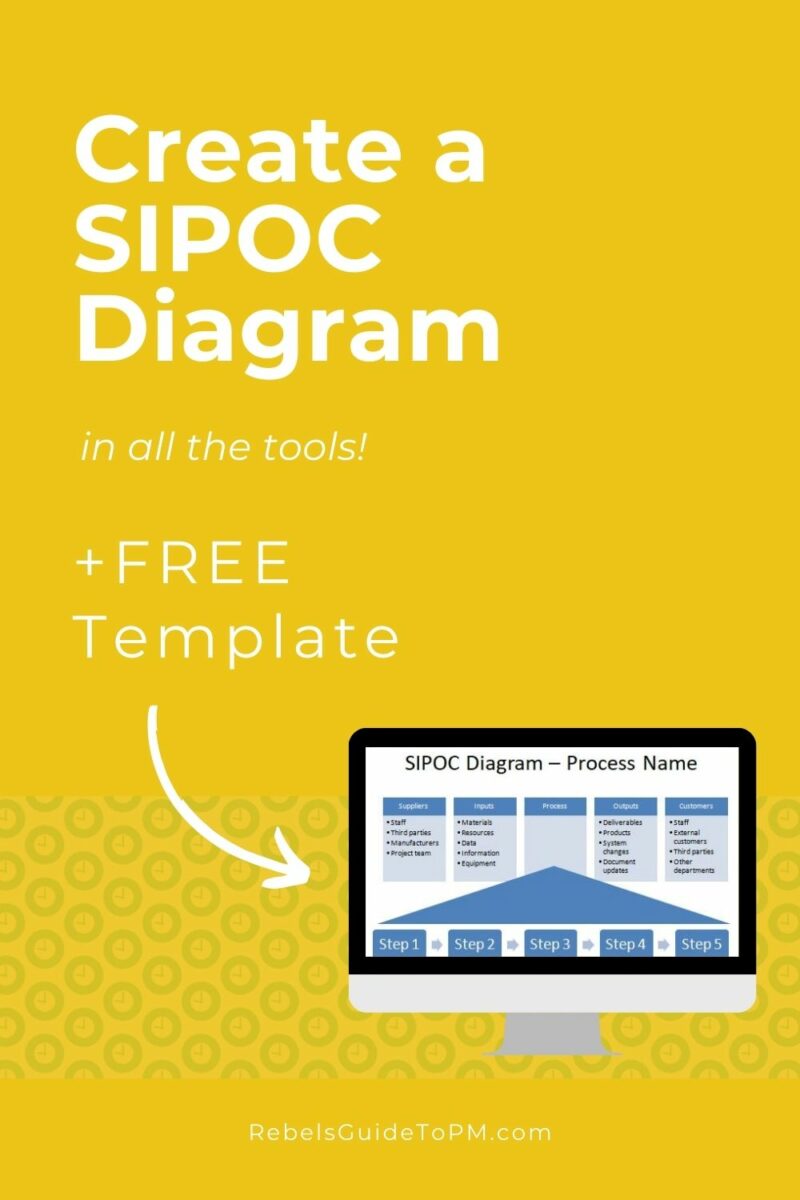
This is the editable PowerPoint template available in the free resource library. Click over and join us there! As you can see, it’s a visual tool for process management that gives you the process (and more) on a page. Perfect for drawing out on a flip chart! Write the name of the process at the top.
If you don’t want to spend the time creating a fancy diagram, table format works just fine. Or you can get my SIPOC template which is an editable PowerPoint file to give you a headstart.
Let’s look at the different areas of the SIPOC template in more detail and how you can put one together for your own project.
1. Suppliers
Every process starts with the suppliers of the inputs: the people who provide the stuff that the process needs to get going.
Typical suppliers include your own staff (all the different departments involved) and customers. You may also have third-party suppliers providing other information.
For example, let’s use an example of the process to register an account on your company website. A supplier might be the web hosting company.
In project management terms, these are the people identified as your project stakeholders.
Action: Make a list of the people who supply information, services or other types of input to the process.
(For all these actions, work with your team. You might want to create a straw man sample to throw up on the screen during a meeting, but the final version needs to be done collaboratively.)
2. Inputs
Inputs are what are required by the process. These are transformed into what the customer needs during the process.
Typical process inputs could be pieces of information, raw materials, or the technical environment. In the example of creating an account on a website, inputs would include credit card details, customer name, address, and so on.
Tip: Don’t forget the external inputs: things you need from other teams or other projects.
Action:Make a list of all the key inputs to this process.
3. Processes
At this step you define the high level process. By now you’ve got clear on what and who are helping this process happen. Now you have to plot out the five to seven major process steps.
These should be at a really high level. You’re not trying to map out the exact step-by-step flow here. It’s only to give a flavour of what is happening at the most basic level.
This would be your Level 1 process. It gives you the building blocks to create a more detailed process map or flow diagram later, which will have the level of detail required to show someone exactly what happens step-by-step.
The SIPOC process is more to ensure everyone is clear about the big picture and that you can easily identify what’s happening.
In our website registration process, the steps would be something like:
- Customer arrives at website
- Customer navigates to account page
- Customer enters details
- Account is created
- Email confirmation is issued to customer
Action:Record the high level steps of the process. This isn’t a detailed overview, so keep your mini-process map to around 5 items.
I’ll say it again: you don’t need much detail at this point! Keep it big picture but do include the entire process.
4. Outputs
This is exactly as you’d expect – what comes out of the process. Once your inputs have been transformed by the process, this is what you get at the end: the outputs of the process. Drop these into the appropriate column.
In our SIPOC example for the website build, if you register on a website, what the process produces is a new customer account, and maybe you’d want to identify that as a new marketing lead as well.
One of the process outputs for the customer would be the email notification, and perhaps a welcome email offering a discount off your products, for example.
Action: Complete your SIPOC template by making a list of the outputs of this process.
5. Customers
These are the key customers of the process. This could look like a similar list to the suppliers list that you put together at the beginning, or it might look significantly different.
Common customers on projects include staff in different departments, the end user (the customer on the street) and third party vendors who then take the output and do something else with it.
The customers of the website registration process would be your end user (the customer who has registered on the website) and the sales and marketing team who can take that customer data and use it for marketing purposes. There may be other people in the business who would use the information created in the process who would count as internal stakeholders.
Often, the people we think of as the customer are not the 'true' customer. Who is after our internal colleagues? How do we meet their customer expectations? Challenge the content for this section to make sure you are identifying all the relevant customers.
I like this step the best because it forces our team to think of the voice of the customer and to make sure that their experience gets the priority it deserves.
Action: Make a list of customers and add it to the SIPOC template.
 Tip: You can extend the diagram by also adding a note of customer requirements e.g. top success criteria as judged by the customer.
Why use SIPOC?
You want to know why you should be using this powerful tool, beyond the fact that it gives you a visual representation of a process as a high-level overview? OK! Here are some (more) reasons why you should consider using SIPOC on your project.
- The SIPOC map is a good tool for creating understanding and understanding the scope and key elements of the process
- The SIPOC gives you a common language for talking about what the process does now and how you want it to change
- It forces you to think about the requirements of the customers, not just the requirements of the people who shout the loudest
- It’s a way to provide some focus and structure to a brainstorming session, especially if you don’t have much facilitation experience and need a hand working out how to actually get this project started.
You might ask why it’s important to do process mapping for a process you understand well, if you are about to change it. It is worth doing: because you can only appreciate the impact of a process change if you know what the process is in the first place.
That’s why plenty of projects start off with creating a high level process map, or at least reviewing the last time process mapping was done and ensuring that whatever business process flow was produced back then is still accurate for today’s project.
Then you can refer back to the diagram and create the relevant process documentation to support it.
SIPOC and Six Sigma
I was asked the other day if SIPOC is Lean or Six Sigma. It's from the Six Sigma tool set.

I learned SIPOC on my Six Sigma training
It’s part of the Define phase in the DMAIC methodology and has become a much-used tool in industries like lean manufacturing. It’s perfect for continuous process improvement initiatives and any type of process review or Lean Six Sigma effort where you are looking for potential gaps in the way things are done.
Having said that, you don’t need to be a Six Sigma Black Belt to make use of the tool on any continuous improvement project.
How to create a SIPOC diagram...
A SIPOC diagram is supposed to be a creative, collaborative endeavor. Get all the team members involved, talking openly and bouncing around ideas. It should be a team effort to produce the chart, and if you get the relevant stakeholders to help, it will be packed with relevant information that will shape the next stage of the project.
The easiest way to create your process map is to work with your colleagues in a workshop-style setting. Grab your mindmapping software, start from a blank page (or a template) and start getting your ideas down. You can always edit them later.
...in PowerPoint
That's easy! Just download my free template and customize it. Add in your brand colors and make it suit your needs.
PowerPoint is very flexible, and as a SIPOC diagram is a visual way of presenting information, slides work very well. You might have to resize information to get everything on the page.
Remember you can change your slide size if you want to make the canvas bigger (and don't mind scrolling).
...in Excel/Google Sheets
Excel is not the easiest of tools to use for predominantly text-based content, but you can create 5 columns, one for each of the elements.
Give each column a heading, add shading to differentiate it from the other columns and then add in your text. For the process column, simply list out the steps within the column itself.
You can add an extra box at the bottom for notes if you need to.
...in Visio
If you're lucky enough to have a charting tool, you might find there is a template -- check any libraries called 'workflow diagrams' or use the search feature.
I use Boardmix, which is a bit like Visio in some respects, but more like Miro or other whiteboarding tools. It has a template, so you might find your charting tool does too.
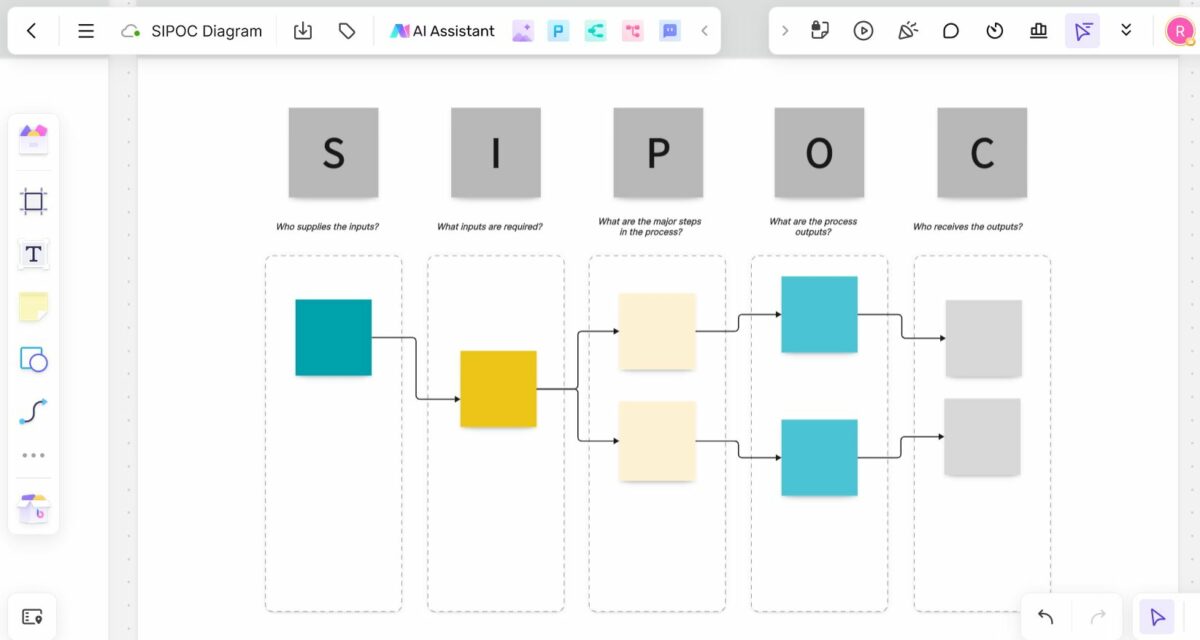
If you don't have a template pre-built for you, you'll have to create the shapes and connectors on screen to get the look you want. I imagine that could be quite time-consuming, but no more so than doing the same work in PowerPoint.
...in Word
You can whip up a Word version easily.
Start with your page orientation as landscape. Add a title (as it's hard to add text on afterwards if your table is the first thing on the page). Then add a 5-column table and enter your text.
You can use the drawing tools to add call-outs for your process steps if you don't want to add them directly as text within the table, and that might make it look a bit more 'visual' too.
Limitations of SIPOC
The SIPOC model is only really good at drawing out the high level process. It’s not going to give you the detailed steps required to, say, put together a training manual or write a user guide.
And let's not get on to complex processes. You really have to dumb it down or breakdown the process into sub-processes to get anything of value, and by the time you've done that, is the output really valuable at all?
This type of business process analysis is quite simplistic but it does act as a good starting point with key steps that help you move forward.
Could you see a value for this in your business?
Your next steps
- Hop over the Resource Libraryto grab your template
- Think about what project you could use this on (although if you're already reading this article and you've got this far, you probably have one in mind)
- Make a draft version with what you know
- Gather the team to discuss and agree on the contents to gain consensus
This article first appeared on Rebel's Guide to Project Management and can be read here: How to make a SIPOC diagram in all the tools (with PowerPoint template)